

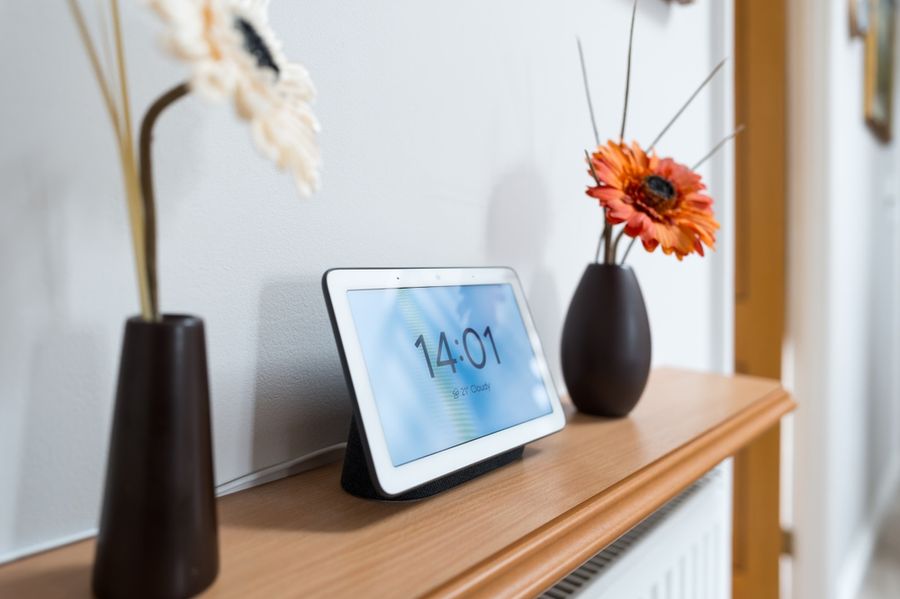
Smart homes have evolved far beyond connected light bulbs and voice-controlled speakers. Many households now use smart locks, cameras, thermostats, sensors, appliances, and entertainment systems that can work together to automate daily routines. As the number of connected devices grows, managing everything through separate apps can quickly become frustrating. Smart home hubs help bring order to that complexity by creating a central point of communication, allowing devices to work together more efficiently and making home automation easier to manage.
What Is a Smart Home Hub?
Smart Home Hub at a Glance
- Acts as a central control point for connected smart devices
- Helps devices from different brands communicate with one another
- Supports automation routines and schedules
- Can provide remote access to connected devices
- Often works with voice assistants such as Alexa, Google Assistant, or Siri
- May support multiple wireless protocols, including Wi-Fi, Zigbee, Thread, Matter, and Z-Wave
- Helps reduce the need to manage multiple apps
- Can improve reliability through local processing and automation
A smart home hub serves as the command center of a connected home. Rather than controlling each smart device separately through its own app, the hub creates a centralized system where devices can communicate and respond to one another. Smart lights, door locks, sensors, thermostats, cameras, and other connected products can all work together through a single platform. Many homeowners find that a hub transforms a collection of disconnected gadgets into a more seamless and automated experience.
The real value of a smart home hub isn't simply control. It's automation. For example, a motion sensor can trigger lights to turn on, adjust the thermostat, and send a notification simultaneously. Modern hubs often process many of those actions locally, allowing devices to respond quickly without relying entirely on cloud services. That combination of coordination, automation, and centralized control is what makes hubs an important component of many smart homes.
How Does a Smart Home Hub Work?
A smart home hub acts as a translator between connected devices that may use different communication methods. Some devices connect through Wi-Fi, while others use Zigbee, Thread, Matter, or Z-Wave. The hub helps all of those devices communicate and coordinate actions. Instead of opening separate apps to control lights, locks, thermostats, and sensors, the hub creates a central system where devices can exchange information, trigger automations, and respond to conditions automatically.
Do You Need a Smart Home Hub?
Not every smart home requires a hub. Many smart devices can connect directly to Wi-Fi and function independently. However, as the number of devices grows, managing multiple apps can become cumbersome.
A hub becomes especially valuable when homeowners want devices to interact with one another, create automation routines, or manage products from multiple manufacturers through a single interface. For larger smart home setups, a hub often simplifies the overall experience.
What Can a Smart Home Hub Connect To?
Smart home hubs can connect to a wide variety of devices depending on compatibility and supported protocols. Common examples include smart lights, plugs, thermostats, locks, doorbells, cameras, sensors, blinds, garage door openers, speakers, and appliances.
Many hubs also integrate with voice assistants and mobile apps. The exact list varies by platform, but modern hubs are designed to serve as a central point for managing many different categories of smart home technology.
Can Devices From Different Brands Work Together?
One of the biggest advantages of a smart home hub is its ability to bridge devices from different manufacturers. Without a hub, products from separate brands may operate independently. With the right hub, a smart lock from one company can trigger lights from another company or activate a thermostat from a third. Newer standards such as Matter have improved cross-brand compatibility, making it easier to build a smart home without being locked into a single ecosystem.
What's the Difference Between Matter, Thread, Zigbee, and Wi-Fi?
Matter is a smart home standard designed to improve compatibility between devices and platforms. Thread is a low-power networking technology often used by Matter devices. Zigbee is another popular smart home protocol that creates a mesh network for connected devices. Wi-Fi remains common for products such as cameras and smart speakers because it can handle larger amounts of data. Many smart home hubs support multiple protocols so devices using different technologies can work together.
Can a Smart Home Hub Work Without Internet?
Many modern hubs can continue running important automations even when the internet goes down. Hubs that support local processing can execute routines directly within the home network rather than relying on cloud servers. As a result, lights, sensors, and certain automation rules may continue functioning normally. However, features such as remote access, cloud backups, software updates, and some third-party integrations may be temporarily unavailable until the internet connection is restored.
Are Smart Home Hubs Secure?
Security is a major consideration when building a connected home. Reputable smart home hubs typically use encrypted communication, authentication procedures, secure pairing processes, and regular firmware updates to help protect user data.
Many platforms also support local processing, which reduces the amount of sensitive information sent to cloud services. While no connected device is completely immune to security risks, choosing a trusted platform and keeping software updated can significantly improve overall protection.
How Many Devices Can One Hub Support?
Device limits vary depending on the hub and the technologies it supports. Some entry-level hubs are designed for smaller smart home setups, while more advanced models can support well over one hundred connected devices.
The practical limit often depends on factors such as network traffic, automation complexity, and device type. Homeowners planning significant expansion should consider scalability when choosing a hub to ensure it can continue supporting future additions.
How Do You Choose the Right Smart Home Hub?
The best hub depends on:
- Your existing devices
- Preferred ecosystem
- Long-term goals
Compatibility should be the first consideration, especially if you already own smart products. Ease of use, security features, supported protocols, automation capabilities, and future scalability are also important. Some users prioritize broad compatibility across brands, while others prefer tighter integration with ecosystems such as Apple Home, Amazon Alexa, Google Home, or SmartThings. Selecting a hub that aligns with both current and future needs can help avoid unnecessary upgrades later.
Top Smart Home Hubs to Consider
|
Smart Home Hub |
Key Features |
Best For |
|---|---|---|
|
Matter support, Thread Border Router, Zigbee 3.0, local automation processing |
Users wanting broad cross-platform compatibility |
|
|
HomeKit integration, Matter support, Thread Border Router, Siri support |
Apple households |
|
|
Alexa integration, Zigbee support, Ring compatibility, wall-mounted control panel |
Alexa and Ring users |
|
|
Zigbee, Z-Wave, Wi-Fi, Matter support, broad device compatibility |
Mixed-brand smart homes |
Bringing Your Smart Home Together
Smart home hubs play an important role in transforming individual connected devices into a coordinated system. By acting as a central communication point, they allow products from different manufacturers to work together, automate routines, and simplify everyday management. Whether the goal is convenience, energy savings, security, or a combination of all three, a hub often provides the foundation needed to create a more capable smart home.
Choosing the right hub starts with understanding your devices, preferred ecosystem, and future plans. As standards like Matter and Thread continue to expand compatibility across brands, smart home hubs are becoming more versatile than ever. For homeowners looking to streamline control and unlock more advanced automation possibilities, a smart home hub can serve as the centerpiece of a connected home experience.